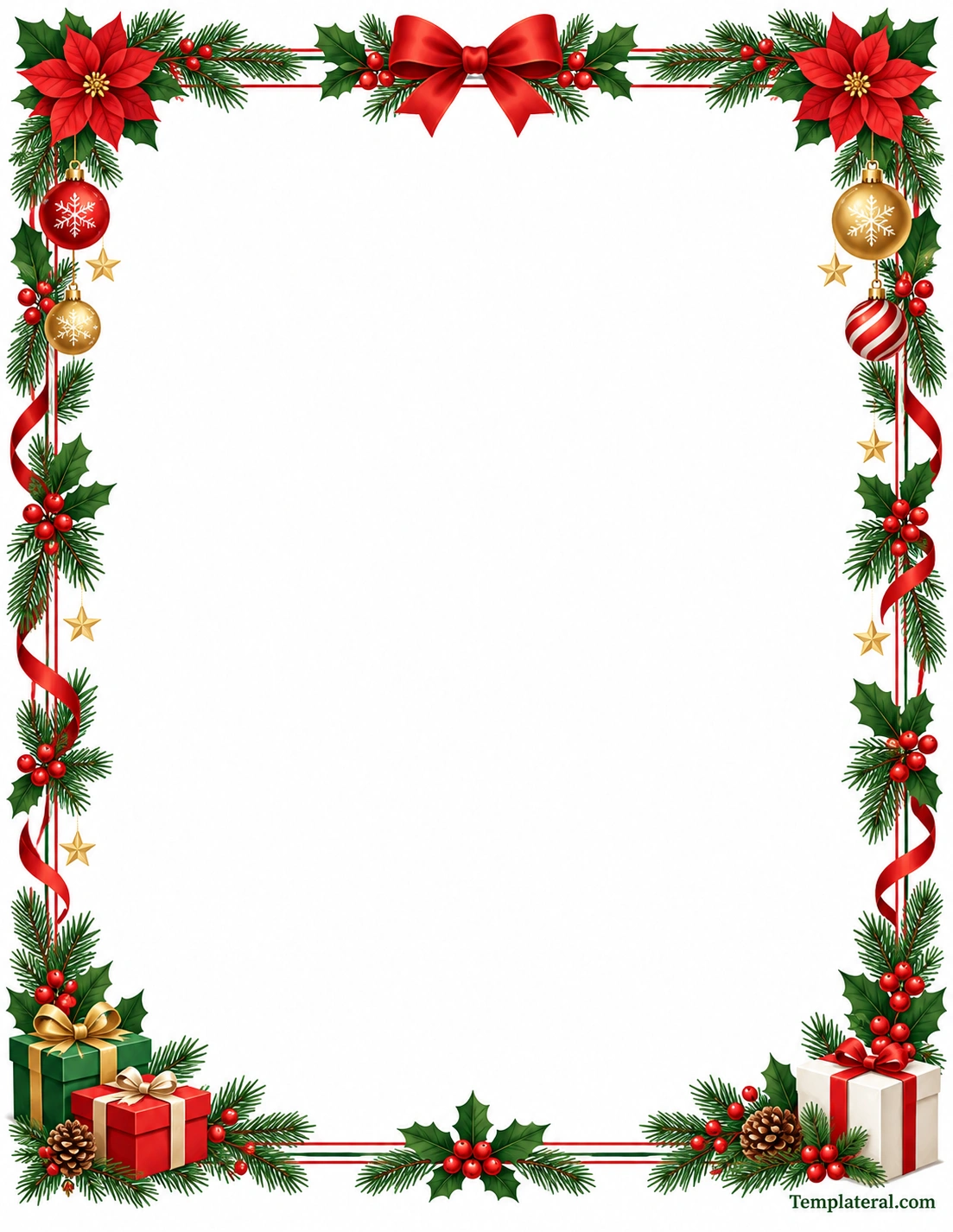
A Christmas holiday border is a decorative frame that can add a festive touch to letters, worksheets, invitations, greeting cards, signs, certificates, classroom activities, and holiday projects. A well-designed Christmas border can make a simple page feel more seasonal without taking attention away from the main message.
Printable Christmas borders are especially useful because they can be downloaded, printed, and used for a variety of personal, school, and office projects. Depending on the design, a holiday border can feature Christmas trees, holly leaves, poinsettias, ornaments, ribbons, snowflakes, stars, candy canes, gifts, or other seasonal decorations.
Whether you need a decorative frame for a Christmas letter or a festive worksheet for students, choosing the right border can make your project look more polished and appropriate for the holiday season.
What Is a Christmas Holiday Border?
A Christmas holiday border is a decorative design placed around the edges of a page. Its main purpose is to create a festive frame while leaving the center of the page available for text, illustrations, activities, or other content.
Christmas borders can range from simple patterns to detailed decorative frames. A minimalist design might use small holly leaves and berries, while a more colorful Christmas page border may include ornaments, bows, presents, poinsettias, and evergreen branches.
The best design depends on how the border will be used. A professional holiday letter may benefit from a simple and elegant frame, while a children’s worksheet can use brighter colors and more playful decorations.
Why Use a Printable Christmas Border?
A printable Christmas border provides a quick way to decorate a document without having to create the artwork from scratch. It can also help maintain a consistent visual theme across multiple pages.
Some advantages of using a printable holiday border include:
- Easy to use: A ready-made border can save design time.
- Festive appearance: Seasonal decorations immediately create a Christmas theme.
- Versatile: Borders can be used for personal, school, office, and craft projects.
- Printable: A properly sized design can be printed on standard paper.
- Reusable: A digital border can be used for multiple projects.
- Simple customization: Text can be added inside the open center area.
Common Uses for a Christmas Holiday Border
A Christmas page border can be used for much more than greeting cards. The decorative frame can be adapted to many different types of seasonal documents.
Christmas Letters
A festive border can make a personal Christmas letter feel more special. The center of the page can remain mostly open for a family message, holiday update, or seasonal greeting.
Christmas Invitations
Use a Christmas border around invitations for holiday parties, school celebrations, family gatherings, or other seasonal events. A decorative frame can help establish the theme before the recipient reads the details.
School Worksheets
Teachers can use Christmas borders to decorate worksheets, writing assignments, reading activities, coloring pages, and holiday classroom projects.
The border can make seasonal learning materials more engaging while leaving enough space for students to complete the activity.
Holiday Certificates
A Christmas-themed border can also be used around certificates and awards. A simple combination of greenery, stars, ornaments, or ribbons can create a festive appearance without overwhelming the certificate text.
Christmas Signs
Printable Christmas borders can frame signs for classrooms, offices, parties, holiday displays, and seasonal events.
Greeting Cards
A decorative frame can be used around a personalized holiday greeting. The center area can contain a short message, quote, or handwritten note.
Popular Christmas Border Design Elements
Different decorative elements can create different moods. Combining a few carefully selected elements often produces a cleaner result than using too many decorations.
Pine Branches
Evergreen branches are a classic Christmas decoration. They work well around the top, bottom, or sides of a printable border.
Holly Leaves and Berries
Holly leaves paired with red berries provide a recognizable holiday look. They can be arranged as small repeating accents or used as larger corner decorations.
Poinsettias
Poinsettias are popular Christmas floral decorations and can add a bright seasonal accent to a page border.
Christmas Ornaments
Ornaments can be used to create a colorful border around a page. Red, green, gold, and silver ornaments can provide a traditional holiday palette.
Ribbons and Bows
Ribbons can create movement around the edges of a page, while a large bow can serve as a focal point at the top of the border.
Stars and Snowflakes
Stars and snowflakes are useful for adding small decorative details without filling too much of the page.
Wrapped Gifts
Gift boxes can work particularly well in the lower corners of a Christmas frame. They provide a festive finishing element while keeping the center area open.
How to Choose the Right Christmas Holiday Border
The right border depends on the type of project, intended audience, and amount of text that needs to fit on the page.
Consider the Purpose
Start by deciding how the border will be used. A formal Christmas letter may need a more restrained design, while a children’s worksheet can use a colorful and playful frame.
Leave Enough Writing Space
A decorative border should frame the content rather than compete with it. Choose a design that leaves a sufficiently large central area for your text.
Match the Color Scheme
Traditional Christmas colors include red, green, white, and gold. Other combinations can also work, especially when the border needs to match an existing document or party theme.
Consider Print Quality
Highly detailed designs may require a good-quality printer to reproduce small decorative elements clearly. For everyday printing, a clean design with defined shapes can be easier to reproduce.
How to Use a Christmas Holiday Border in a Document
Using a Christmas border is relatively simple, especially when working with a ready-to-print template.
1. Choose the Border
Select a border that matches the purpose and style of your project. Consider whether you need a traditional, elegant, playful, colorful, or minimalist Christmas design.
2. Prepare Your Content
Write the message, worksheet questions, invitation details, or other content that will appear inside the border.
3. Position the Text
Keep the main content inside the open center area. Leave enough space between the text and decorative elements so the page remains easy to read.
4. Check the Page Margins
Before printing, check the page margins and print preview. This helps prevent important parts of the border from being cut off.
5. Print a Test Page
For an important project, print one test page first. Check the alignment, colors, margins, and overall appearance before printing multiple copies.
Christmas Border Ideas for Different Projects
The same basic holiday border can be adapted for many seasonal projects.
- Christmas party invitation: Add the event date, time, location, and RSVP information.
- Holiday letter: Leave a large open center for a personal message.
- Classroom worksheet: Use the border around questions, writing exercises, or activities.
- Christmas certificate: Place the recipient’s name and award information in the center.
- Holiday menu: Use a decorative frame around food and drink selections.
- Gift tag: Crop or resize a border to create a smaller decorative design.
- Christmas sign: Place a short message or announcement inside the frame.
- Holiday craft: Use the printed border as a decorative element for handmade projects.
Tips for Printing a Christmas Page Border
Printing a decorative border requires a little attention to page settings. A few simple steps can help produce a cleaner result.
- Use standard US Letter paper when the template is designed for that size.
- Check the print preview before printing.
- Make sure the page orientation matches the template.
- Use a print quality appropriate for the level of detail in the design.
- Check whether your printer can print close enough to the edge of the page.
- Print a test copy when accurate positioning is important.
- Allow printed pages to dry before stacking them if using an inkjet printer.
Christmas Holiday Border for Kids
Children’s Christmas projects can benefit from bright and recognizable decorations. Borders featuring presents, candy canes, stars, ornaments, snowflakes, Christmas trees, and cheerful holiday colors can make worksheets and crafts more inviting.
For younger children, keep the central writing area large and uncluttered. The decorative border should support the activity rather than make the page difficult to use.
Christmas Border for Professional Documents
Holiday documents used in an office or professional environment may require a more restrained design. Instead of using many large illustrations, consider a simple combination of evergreen branches, small ornaments, thin lines, or subtle holiday accents.
A clean Christmas border can be used for seasonal announcements, office invitations, internal newsletters, certificates, or holiday correspondence while maintaining a polished appearance.
Printable Christmas Border vs. Digital Border
A printable Christmas border is designed primarily for physical documents, while a digital border can be used in electronic documents, graphics, presentations, or online content.
Printable designs should take paper size, margins, printer limitations, and ink usage into account. Digital designs can provide more flexibility because they do not have the same physical printing limitations.
If the final project will be printed, always check the design in print preview before producing the final copies.
How to Make a Christmas Border Look Professional
A professional-looking holiday border does not necessarily need to be complicated. Balance is more important than the number of decorative elements.
- Keep the center area clean.
- Use a consistent color palette.
- Repeat decorative elements consistently around the page.
- Avoid covering the main text area.
- Keep decorative elements aligned with the page edges.
- Use enough white space for comfortable reading.
- Choose decorations appropriate for the intended audience.
Final Thoughts
A Christmas holiday border is an easy way to give a document a festive seasonal appearance while keeping the main content organized. From Christmas letters and invitations to classroom worksheets, certificates, signs, and holiday crafts, a printable border can be adapted to many different projects.
The most effective Christmas borders combine attractive seasonal decorations with enough open space for the main content. When selecting or printing a holiday border, consider the purpose of the document, page size, color scheme, writing area, and printer settings.
With a well-designed printable Christmas border, even a simple page can become a cheerful and polished part of your holiday project.
Download: Christmas Holiday Border Template
