A storyboard is a visual planning tool that helps turn an idea, script, or concept into a sequence of scenes. By sketching out important moments before production begins, creators can decide what each scene should look like, how the action should unfold, and how different shots connect.
Storyboards are commonly used for films, videos, animations, commercials, presentations, educational projects, and even social media content. You do not need advanced drawing skills to create one. Simple sketches, arrows, labels, and notes can be enough to communicate the main idea.
A printable storyboard template provides a structured space for organizing these ideas. Instead of starting with a blank sheet of paper, you can use predefined scene boxes to plan your shots, action, dialogue, and production notes.
What Is a Storyboard?
A storyboard is a series of visual frames arranged in sequence to represent how a story or production will unfold. Each frame typically represents a scene, shot, or important moment.
The drawings do not need to look like finished artwork. Their primary purpose is communication. A rough sketch showing where a character stands, where the camera points, and what happens next can provide enough information for a production team to understand the intended shot.
A typical storyboard may include:
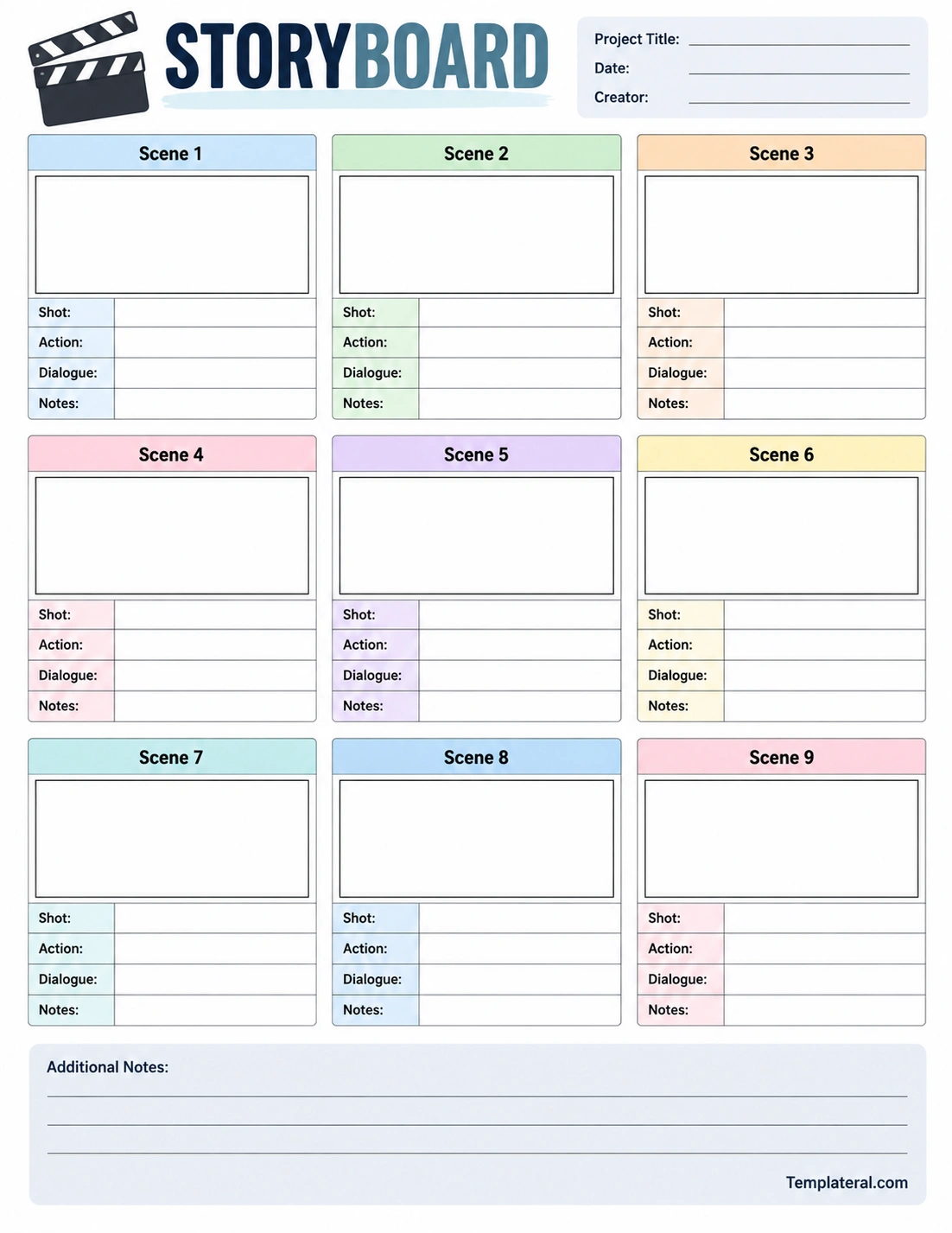
- Scene number: Identifies the position of the scene in the sequence.
- Visual frame: Shows a rough representation of what the audience will see.
- Shot information: Describes the camera angle, framing, or shot type.
- Action: Explains what happens in the scene.
- Dialogue: Records important spoken lines or narration.
- Notes: Contains additional instructions about sound, movement, transitions, or visual details.
Why Is a Storyboard Important?
Planning a visual project before production can save time and reduce confusion. A storyboard provides a visual roadmap that allows creators to examine the sequence before filming, animating, or producing the final project.
One of the biggest advantages is that it helps identify potential problems early. A creator may discover that two shots feel repetitive, that an important transition is missing, or that a scene requires a different camera angle. These changes are generally easier to make during the planning stage than during production.
Visualize the Story
A written script describes what happens, but a storyboard helps show how the audience might experience those events visually. This makes it easier to think about composition, movement, pacing, and transitions.
Organize Production
A storyboard can also help organize the practical side of a project. Filmmakers, animators, photographers, and video creators can use the visual plan to determine which shots need to be captured and in what order.
Improve Communication
When several people are involved in a project, verbal explanations can sometimes be interpreted differently. A storyboard gives everyone a shared visual reference for discussing the intended result.
What Should Be Included in a Storyboard?
The amount of information included depends on the complexity of the project. A simple school video may only need a few sketches and short descriptions, while a professional film production may require detailed information for every shot.
Scene or Shot Number
Numbering each frame makes it easier to reference a particular moment. For example, a director can tell the team to review Scene 5 instead of describing the entire sequence.
Sketch or Visual Description
The main visual area should communicate the composition of the shot. Draw the important subjects, objects, backgrounds, and movements. Stick figures and basic shapes are perfectly acceptable if they communicate the idea clearly.
Camera Direction
Include information about the camera when it matters to the project. You might note whether a shot is a close-up, medium shot, wide shot, overhead shot, or another framing choice.
Action and Movement
Use the action area to explain what happens during the shot. Arrows can be useful for showing movement, camera direction, or the path of an object.
Dialogue and Audio
Write important dialogue, narration, sound effects, or music cues below the visual frame. This helps connect the visual sequence with the audio component.
How to Create a Storyboard
Creating a storyboard does not have to be complicated. You can start with a blank storyboard worksheet and develop the sequence step by step.
1. Start With the Story
Read through the script or outline and identify the major moments. Do not try to storyboard every tiny detail immediately. Start with the scenes that are essential to understanding the story.
2. Break the Story Into Scenes
Divide the story into logical sections. Each section should represent a meaningful visual moment or change in action, location, camera perspective, or subject.
3. Sketch the Main Visuals
Draw a simple representation of each scene. Focus on composition rather than artistic detail. Consider where the main subject appears, what is visible in the background, and how the viewer’s attention should move through the frame.
4. Add Shot Information
Record the intended camera shot or angle when appropriate. This might include terms such as wide shot, medium shot, close-up, tracking shot, or overhead view.
5. Add Action and Dialogue
Describe the main movement and include important dialogue or narration. Keep the descriptions concise so that the storyboard remains easy to scan.
6. Review the Sequence
Read through the storyboard from beginning to end. Look for missing transitions, unnecessary shots, confusing movements, or scenes that do not clearly communicate the intended story.
Types of Storyboards
Storyboards can take several forms depending on the needs of the project and the creator’s preferred workflow.
- Traditional storyboard: Hand-drawn sketches placed in a sequence of panels.
- Thumbnail storyboard: Small, quick sketches used to explore composition and pacing.
- Digital storyboard: Created using illustration, design, animation, or presentation software.
- Photographic storyboard: Uses photographs or reference images instead of drawings.
- Text-based storyboard: Uses written descriptions when visual sketches are unnecessary or unavailable.
A printable storyboard worksheet is particularly useful for traditional planning because you can sketch directly into each panel and write supporting information underneath.
Storyboard Tips for Better Planning
A useful storyboard should communicate ideas clearly rather than focus on artistic perfection. The following tips can make the planning process more effective.
- Keep sketches simple: Focus on important visual information instead of detailed artwork.
- Use arrows: Show subject movement, camera movement, or changes in direction.
- Number every scene: This makes collaboration and revisions easier.
- Include important audio: Note dialogue, sound effects, music, and narration when relevant.
- Think about transitions: Consider how one scene connects to the next.
- Review the pacing: Look at the sequence as a whole rather than evaluating each frame independently.
- Leave room for notes: Additional production details can become important during filming or editing.
Using a Printable Storyboard Template
A printable storyboard template is a convenient starting point for students, filmmakers, content creators, teachers, and anyone planning a visual project. A structured worksheet provides dedicated areas for each scene, making it easier to separate sketches from production information.
The template shown above includes multiple scene panels with dedicated spaces for the visual concept, shot, action, dialogue, and notes. This format works well for short films, video projects, animations, commercials, presentations, and classroom assignments.
You can print additional pages when your project contains more scenes than one worksheet can accommodate. Number the pages and scenes consistently so the complete sequence remains organized.
Storyboard Ideas for Different Projects
Film and Video
Filmmakers can use storyboards to plan camera angles, compositions, actor movement, transitions, and important visual moments before filming begins.
Animation
Animators can use storyboards to establish the sequence of events, character positions, camera movement, and timing before creating the animation itself.
School Projects
Students can use a storyboard to plan video presentations, short films, documentaries, book adaptations, and creative storytelling assignments. It also provides a simple way to organize ideas before recording.
Marketing Videos
Marketing teams can storyboard advertisements, product demonstrations, promotional videos, and social media campaigns. The visual sequence can help ensure that important messages and calls to action appear at the right points.
Presentations
A storyboard can even be used to plan a presentation. Each panel can represent a slide, with notes describing the visual, key message, supporting information, and transition to the next slide.
Final Thoughts
A storyboard turns an idea into a visual plan that can be reviewed, revised, and shared before the final production begins. Whether you are creating a movie, animation, school project, marketing video, or presentation, organizing scenes in advance can make the creative process much easier.
You do not need to be an artist to create an effective storyboard. Simple sketches, clear scene descriptions, camera notes, and action cues can communicate the essential information. With a printable storyboard template, you can start planning your scenes immediately and build a clear visual roadmap for your next project.
Download: Storyboard Template
